


Every backend engineer has hit the exact same 2:00 AM production bug: a JWT token exp claim says 1767225600, your frontend passes it straight into new Date(1767225600) in JavaScript, and suddenly your UI insists the user's session expired on January 21, 1970.
That classic off-by-1000x bug happens because half the programming ecosystem stores Unix Epoch timestamps in 10-digit seconds while the other half expects 13-digit milliseconds.
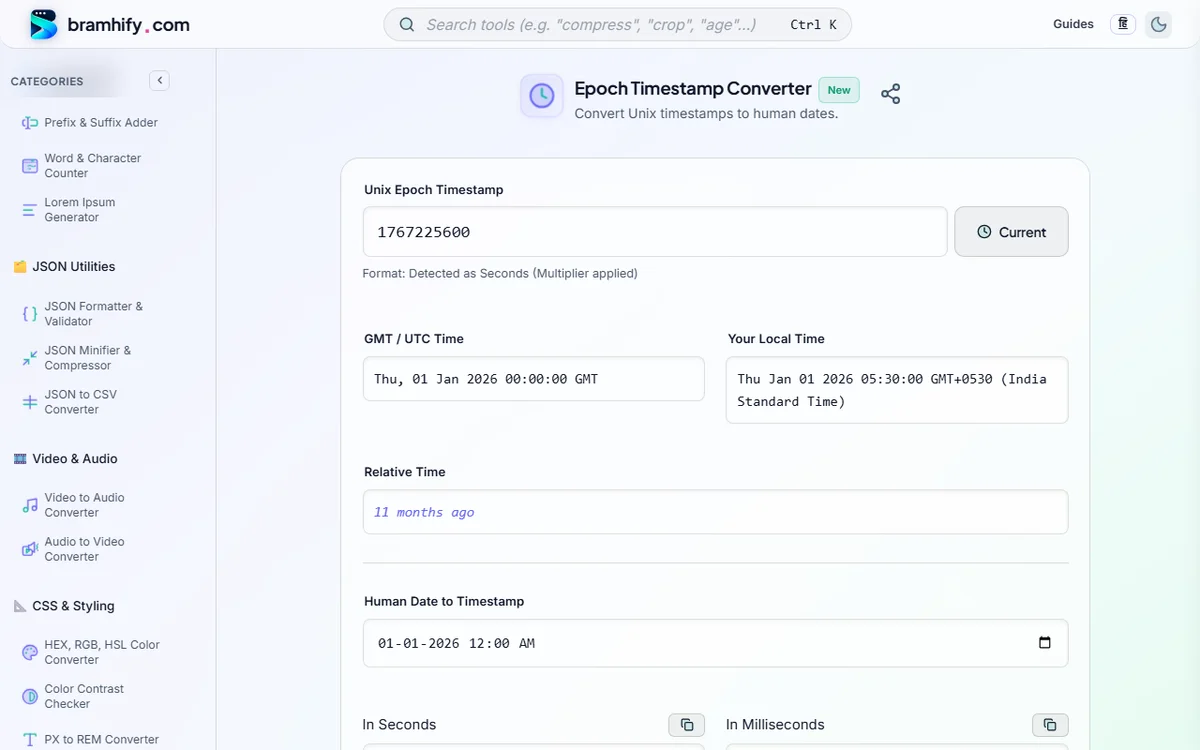
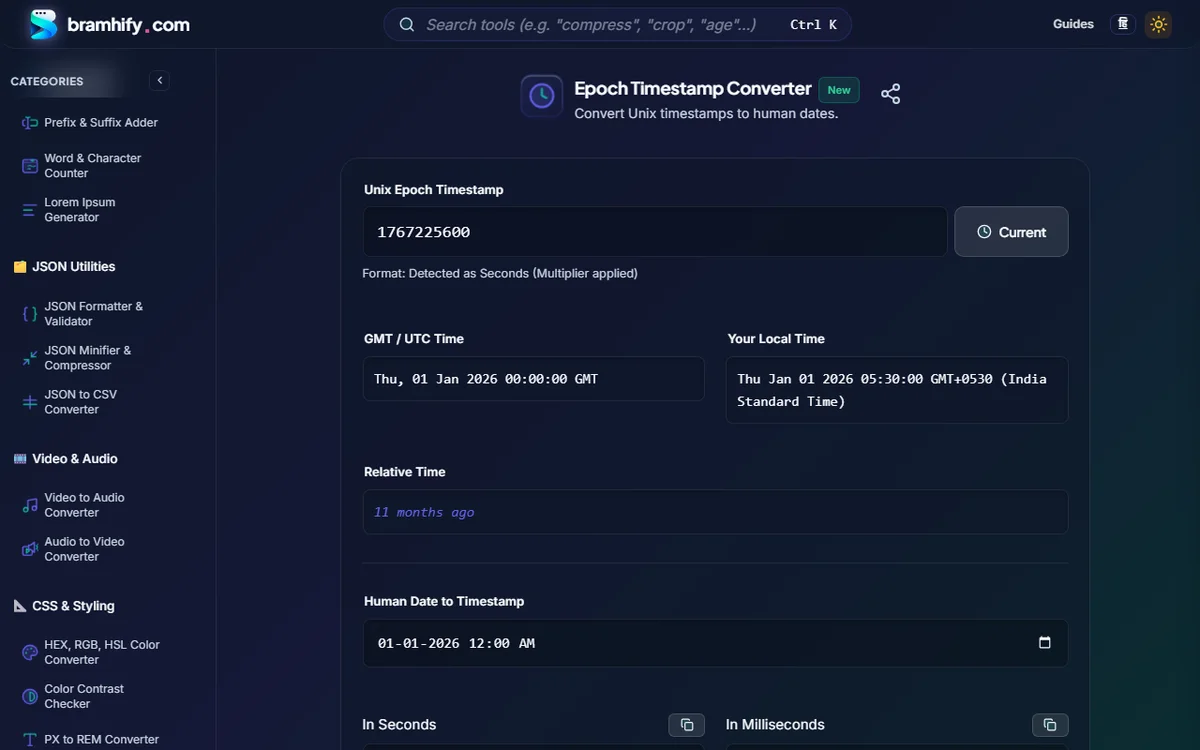
Bramhify's 100% offline Epoch & Unix Timestamp Converter auto-detects seconds vs. milliseconds automatically, displays GMT/UTC, your browser's local timezone, and human-readable relative time side by side, and lets you convert any human date back to both seconds and milliseconds with 1-click Copy—zero network calls, zero log exposure.
What Is a Unix Epoch Timestamp?
A Unix Epoch timestamp (also called POSIX time) is a single timezone-agnostic integer counting the number of seconds (or milliseconds) elapsed since 1970-01-01T00:00:00Z (Midnight UTC), ignoring leap seconds.
Why do databases, JWTs, Stripe webhooks, and Linux filesystems prefer integers over ISO strings?
- Zero Timezone Ambiguity:
1767225600represents the exact same instant in New York, London, Tokyo, and Bengaluru. - Tiny Storage & Fast Indexing: A 64-bit integer (
BIGINT) takes 8 bytes and sorts/compares in a single CPU instruction—far faster than parsing"2026-01-01T00:00:00+05:30". - Trivial Math: Checking whether a token expired 15 minutes ago is literally
now - exp > 900.
Convert Unix Timestamps Offline:

Seconds vs. Milliseconds vs. Microseconds (How to Tell at a Glance)
Count the digits of any modern timestamp (years 2001–2286) to immediately know its precision:
| Digits | Example (2026-01-01 00:00:00 UTC) | Precision | Common Ecosystems |
|---|---|---|---|
| 10 digits | 1767225600 | Seconds (s) | JWT (iat/exp/nbf), Linux date +%s, PHP, Python, PostgreSQL, Stripe API |
| 13 digits | 1767225600000 | Milliseconds (ms) | JavaScript Date.now(), Java System.currentTimeMillis(), Kafka, MongoDB |
| 16 digits | 1767225600000000 | Microseconds (µs) | Chrome trace logs, AWS DynamoDB streams, ClickHouse |
| 19 digits | 1767225600000000000 | Nanoseconds (ns) | Go time.Now().UnixNano(), Prometheus/OpenTelemetry spans, Kubernetes logs |
Copy-Paste Cheat Sheet: Current Unix Timestamp in Every Language
JavaScript / TypeScript (Node.js & Browser)
// Milliseconds (13 digits — JS default)
const nowMs = Date.now();                        // 1767225600000

// Seconds (10 digits — required for JWTs & REST APIs)
const nowSec = Math.floor(Date.now() / 1000);    // 1767225600

// Convert 10-digit seconds safely back to JS Date (ALWAYS multiply by 1000!)
const date = new Date(1767225600 * 1000);
console.log(date.toISOString());                 // "2026-01-01T00:00:00.000Z"
Python 3
import time
from datetime import datetime, timezone

now_sec = int(time.time())                       # 1767225600
now_ms  = time.time_ns() // 1_000_000            # 1767225600000

# Always pass tz=timezone.utc (avoid deprecated utcfromtimestamp!)
dt = datetime.fromtimestamp(1767225600, tz=timezone.utc)
print(dt.isoformat())                            # "2026-01-01T00:00:00+00:00"
PostgreSQL & MySQL
-- PostgreSQL: current epoch seconds & converting epoch to timestamptz
SELECT EXTRACT(EPOCH FROM NOW())::BIGINT;
SELECT TO_TIMESTAMP(1767225600) AT TIME ZONE 'UTC';

-- MySQL: current epoch seconds & converting epoch to DATETIME
SELECT UNIX_TIMESTAMP();
SELECT FROM_UNIXTIME(1767225600);
PHP, Go & Linux Bash
# Linux / macOS Terminal
date +%s                        # Seconds (10 digits)
date -u -d @1767225600          # GNU Linux: Epoch -> UTC
date -u -r 1767225600           # macOS BSD: Epoch -> UTC
// PHP
$nowSec = time();                                // 10-digit seconds
$utcStr = gmdate('Y-m-d\TH:i:s\Z', 1767225600);  // "2026-01-01T00:00:00Z"
// Go
nowSec := time.Now().Unix()                      // int64 seconds
nowMs  := time.Now().UnixMilli()                 // int64 milliseconds
t := time.Unix(1767225600, 0).UTC()
3 Production Pitfalls Every Engineer Should Avoid
- The Year 2038 Problem (
INT32Overflow): A signed 32-bit integer maxes out at2,147,483,647(2038-01-19T03:14:07Z). If your MySQL/PostgreSQL schema still uses 32-bitINT(or MySQL's legacyTIMESTAMPcolumn on older versions) for long-lived contracts, mortgage schedules, or 15-year API keys, migrate to 64-bitBIGINTorTIMESTAMPTZimmediately. - Storing Local Timezone Offsets as Fake UTC: Never subtract your local offset before saving a Unix timestamp! Unix time is always UTC. Convert to local time (
Asia/Kolkata,America/New_York,Europe/Berlin) strictly at the UI presentation layer. - Debugging JWT
exp/iat/nbfClaims: All RFC 7519 JWT numeric date claims are defined strictly in 10-digit seconds. Pair Bramhify's Epoch Converter with our offline JWT & SD-JWT Decoder to inspect token lifetimes locally without leaking bearer secrets.
Frequently Asked Questions (FAQs)
Why does JavaScript new Date(1767225600) return a date in January 1970?
Because JavaScript's Date constructor interprets a numeric argument as milliseconds, not seconds! Passing a 10-digit second timestamp (1767225600) equals only ~20.45 days after Jan 1, 1970. Multiply 10-digit timestamps by 1000 (new Date(ts * 1000)).
How does Bramhify's Epoch Converter detect seconds vs. milliseconds automatically?
Any timestamp smaller than 10,000,000,000 (10 digits — spanning up to the year 2286) is automatically treated as Seconds and multiplied by 1,000 internally; 13-digit numbers are parsed directly as Milliseconds. The format indicator beneath the input confirms which scale was detected.
Does Unix Epoch time change depending on my timezone (UTC vs. IST vs. EST)?
Never. At any exact instant in the universe, the Unix timestamp is identical in London, New York, and Mumbai. Only the human-readable wall-clock representation changes by timezone—which is why Bramhify displays both GMT / UTC and Your Local Time side by side.
Can Unix timestamps represent dates before January 1, 1970?
Yes! Dates prior to 1970-01-01T00:00:00Z are represented as negative integers (for example, -86400 equals 1969-12-31T00:00:00Z, one day before the Unix epoch).
Need to schedule recurring UTC/IST jobs or inspect JWT claims offline?
Check out our Cron Expression Generator Guide (with a UTC-to-IST schedule table) or decode exp and iat token timestamps privately using our JWT Decoder Guide.