


Every developer and data analyst hits this weekly: a product manager, finance lead, or client asks for a quick Excel export of an API response, MongoDB collection, or Stripe webhook log. You copy the JSON payload, paste it into a random online "JSON to CSV converter," and immediately realize two problems:
- You just uploaded real customer emails, invoice totals, or production PII to a third-party server—a direct SOC 2 / GDPR / DPDP compliance violation.
- Half your columns broke: Nested objects turned into
[object Object], European Excel smashed every column into Column A because it expected semicolons (;), and Unicode characters (₹,é,ü, Hindi/Japanese names) turned into garbled₹mojibake!
Bramhify's 100% offline JSON to CSV Converter solves all four problems directly inside your browser: automatic dot-notation flattening (user.city, plan.tier), selectable Comma / Semicolon (EU Excel) / Tab (TSV) delimiters, strict RFC 4180 quote escaping, and UTF-8 BOM .csv downloads so Microsoft Excel opens international text cleanly on the first double-click.
Why Generic JSON-to-CSV Tools Break on Real API Payloads
Real-world REST and GraphQL responses are rarely flat key-value lists. Look at what happens when you convert a typical SaaS API payload:
[
  {
    "id": 101,
    "user": { "name": "Alice Chen", "city": "San Francisco" },
    "plan": { "tier": "pro", "seats": 5 },
    "active": true
  },
  {
    "id": 102,
    "user": { "name": "Rohan Mehta", "city": "Bengaluru", "referral": "HN" },
    "plan": { "tier": "team", "seats": 12 },
    "active": true
  }
]
Notice two tricky real-world edge cases above:
- Nested Objects (
user,plan): Naive converters dump"[object Object]"or ugly escaped JSON blobs into a single cell. - Sparse / Optional Keys (
user.referral): Row 1 does not havereferral, while Row 2 does! Converters that only inspectparsed[0]silently dropuser.referralcompletely!
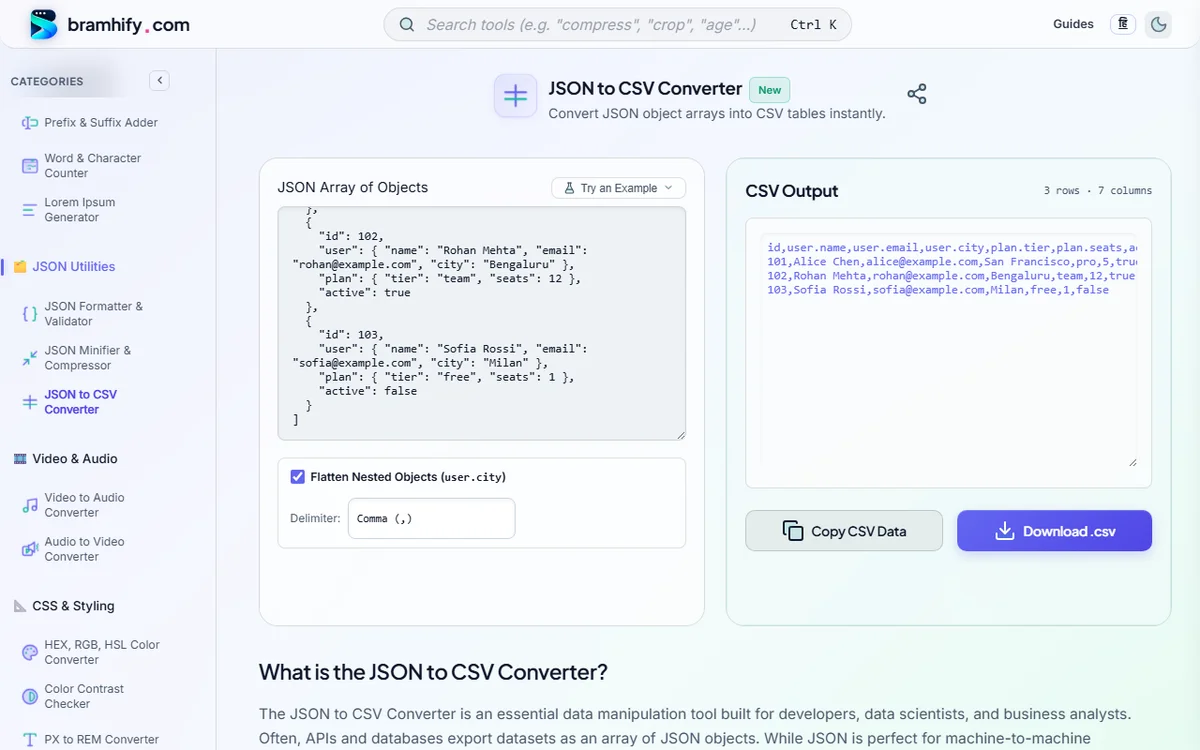
Bramhify scans the union of keys across every single object and flattens nested hierarchies into crisp spreadsheet columns:
id,user.name,user.city,plan.tier,plan.seats,active,user.referral
101,Alice Chen,San Francisco,pro,5,true,
102,Rohan Mehta,Bengaluru,team,12,true,HN
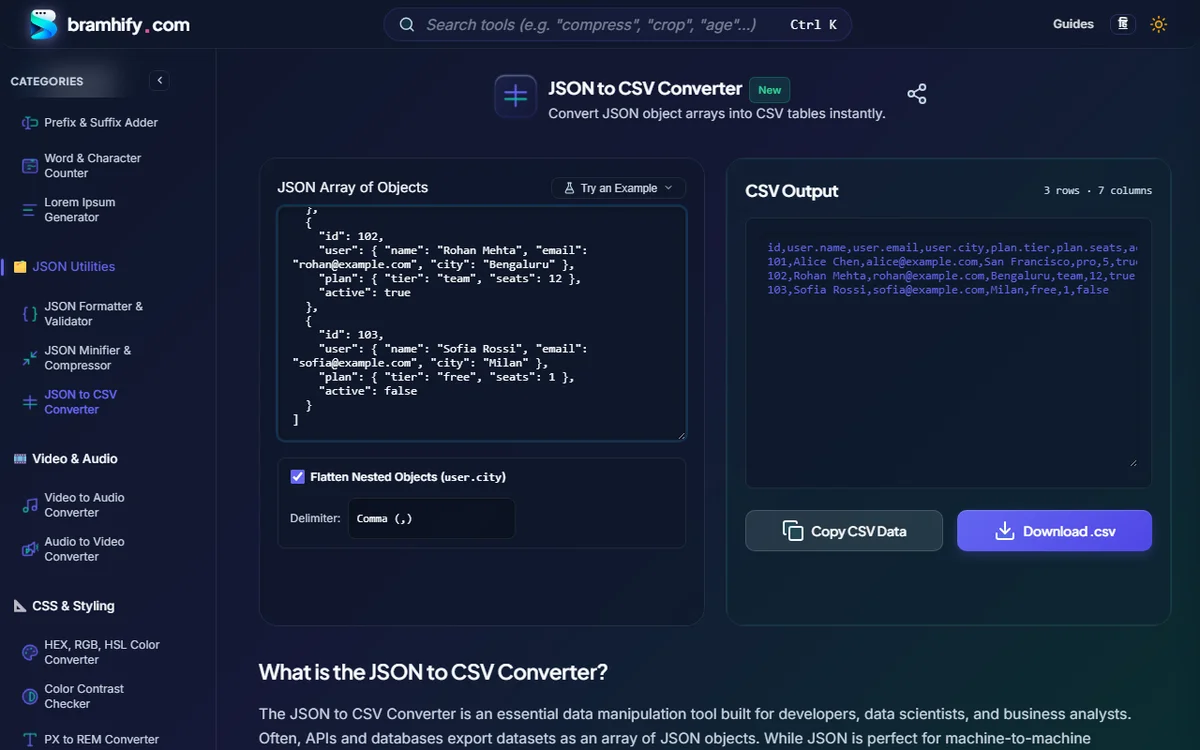
Convert & Flatten JSON to CSV Locally:

Choosing the Right Delimiter for Excel, Google Sheets & SQL
| Delimiter Option | Best For | Why It Matters |
|---|---|---|
Comma (,) | US/UK/India Excel, Google Sheets, PostgreSQL COPY, pandas | Universal RFC 4180 default across global tooling |
Semicolon (;) | German, French, Spanish, Italian & Brazilian Excel locales | European Windows locales use , as a decimal separator (12,99), so Excel expects ; to split columns! |
Tab (\t / .tsv) | Direct copy-paste into Google Sheets / Excel or text-heavy notes | Lets you press Ctrl+V straight into cell A1 and auto-split cleanly across columns without import wizards |
Step-by-Step: Export Sensitive API JSON to Excel Without Cloud Uploads
Step 1: Paste Your JSON Array (or Single JSON Object)
Open the JSON to CSV Converter and paste your API output, database dump, or log snippet. Need to pretty-print or validate broken syntax first? Clean it locally inside our JSON Formatter & Validator.
Step 2: Toggle Nested Object Flattening (user.city)
Leave Flatten Nested Objects checked to expand nested sub-objects cleanly into dot-notation columns (user.name, user.email, plan.tier). Uncheck it only if you explicitly want nested sub-objects preserved as raw JSON strings inside a single cell.
Step 3: Pick Comma, Semicolon, or Tab & Check Live Row/Column Count
Verify the live stats badge (N rows · M columns) above the output box. Every field containing a delimiter, double quote ("), or multiline break (\n) is escaped automatically per RFC 4180 ("USB-C Hub, 7-in-1").
Step 4: Copy or Download Excel-Ready UTF-8 .csv
Click Download .csv (Excel UTF-8). Bramhify prepends the invisible UTF-8 Byte Order Mark (\uFEFF) so Microsoft Excel on Windows and macOS automatically renders currency symbols (₹, €, £), accented European names, and Devanagari/CJK characters cleanly instead of mojibake!
CLI & Script Alternatives (When Automating 500MB+ Dumps)
Bramhify handles everyday payloads up to tens of thousands of rows instantaneously in RAM. For automated CI pipelines or multi-gigabyte log archives, use these battle-tested local one-liners:
Python (pandas.json_normalize — Handles Nested JSON!)
import json, pandas as pd

with open("export.json", "r", encoding="utf-8") as f:
    data = json.load(f)

df = pd.json_normalize(data)
# encoding="utf-8-sig" writes the Excel-friendly UTF-8 BOM
df.to_csv("output.csv", index=False, encoding="utf-8-sig")
Terminal (jq — Zero Dependencies on Linux/macOS)
jq -r '(.[0] | keys_unsorted) as $cols | $cols, (.[] | [.[ $cols[] ]]) | @csv' data.json > output.csv
Frequently Asked Questions (FAQs)
Why does Microsoft Excel scramble ₹, €, or accented names in normal CSV files?
By default, Excel guesses legacy Windows-1252 encoding when opening .csv files by double-clicking unless a UTF-8 BOM (0xEF 0xBB 0xBF) sits at byte zero. Bramhify's Download .csv (Excel UTF-8) button automatically includes the UTF-8 BOM so international text opens cleanly every time.
Why did Excel put my entire CSV row into Column A?
If your computer uses a European or Latin American regional locale (where commas represent decimal numbers like 19,99 €), Excel expects semicolons (;) as column separators. Switch Bramhify's Delimiter dropdown to Semicolon (;) — EU Excel before downloading!
How does Bramhify handle missing fields when some JSON objects have extra keys?
Instead of reading headers only from the first array item, Bramhify scans the union of all keys across every object in the array and leaves blank CSV cells wherever an optional property is absent—preventing silent data loss.
Is it safe to paste production customer JSON or financial records into Bramhify?
100% safe. All parsing, nested flattening, RFC 4180 escaping, and file Blob generation run locally in your browser's JavaScript engine. Zero bytes are transmitted over the network, making it safe for sensitive corporate, HIPAA, or GDPR-regulated datasets.
Need to convert JSON to YAML for Kubernetes/Docker or format messy JSON first?
Explore our companion offline developer guides: JSON to YAML DevOps Guide, JSON Formatter Guide, or Convert cURL to JavaScript Fetch & Axios.