


Modern web applications exchange billions of JSON messages every second. From microservice REST responses and GraphQL endpoints to WebSocket telemetry and mobile sync engines, JavaScript Object Notation is the undisputed lingua franca of internet data exchange. Yet in many staging logs, internal microservices, and serverless architectures, developers inadvertently transmit formatted, indented JSON.
When humans inspect data, two-space indentation and newline breaks make structures legible. But computers and network routers do not care about aesthetics. In production environments, human-friendly whitespace is dead weight.
Minifying JSON — stripping unnecessary tabs, spaces, and line feeds — is one of the highest-leverage, zero-risk optimizations you can apply to your data pipeline. This guide examines the mechanics of JSON compression, why relying exclusively on Gzip or Brotli is an anti-pattern, the security hazards of third-party online formatters, and how to implement zero-leak client-side minification.
The Cost of Indentation in Production Payloads
Consider a typical e-commerce catalog API response returning an array of 50 product records. Pretty-printed with standard 2-space indentation, each object contains dozens of formatted lines:
{
  "status": "success",
  "data": [
    {
      "id": 1042,
      "sku": "PROD-TECH-409",
      "name": "Mechanical Gaming Keyboard",
      "price": 129.99,
      "in_stock": true,
      "categories": [
        "electronics",
        "peripherals",
        "gaming"
      ]
    }
  ]
}
In pretty-printed form, indentation characters, carriage returns (\r), and line feeds (\n) frequently account for 30% to 55% of the total raw byte count.
When multiplied across millions of daily requests, that visual whitespace creates measurable penalties:
- Increased Mobile Latency: On cellular networks with variable signal strength, larger payloads increase packet fragmentation. If a payload spills over TCP's Initial Congestion Window (initcwnd, typically 10 to 14 segments or ~14.6 KB), the browser must endure an extra Round Trip Time (RTT) before the document or JSON payload completes downloading.
- Bandwidth & Cloud Egress Bills: Major cloud providers (AWS, Google Cloud, Azure) bill aggressively for outbound internet data transfer. Slashing 40% of uncompressed egress byte volume compounds into thousands of dollars in annual infrastructure savings.
- Memory Footprint in Memory Caches: Redis clusters, Memcached instances, and edge worker key-value stores store strings in raw memory. Storing minified JSON strings directly reduces cluster RAM saturation and cache eviction rates.
Pretty-Printed vs Minified Payload Comparison
| Metric | Formatted (2 Spaces) | Minified (1 Line) | Byte Reduction |
|---|---|---|---|
| Small Auth Token Payload | 420 Bytes | 248 Bytes | -41.0% |
| Catalog API Item (10 items) | 3.85 KB | 2.12 KB | -44.9% |
| GeoJSON Feature Collection | 48.60 KB | 29.40 KB | -39.5% |
| Microservice Config Dump | 182.40 KB | 104.20 KB | -42.8% |
Doesn't Gzip or Brotli Solve This Automatically?
A common developer objection is: "Our web server uses Gzip and Brotli compression, so whitespace gets compressed down to almost nothing anyway."
While HTTP transport-layer compression (gzip/brotli) is essential, assuming it eliminates the need for minification is a misconception. Here is why:
1. Huffman Trees and Sliding Windows
Gzip (DEFLATE algorithm) uses LZ77 substitution and Huffman coding. Repeated strings like "name": are indeed compressed into back-references. However, back-references still take bits in the sliding window. Minifying prior to compression allows the LZ77 dictionary to allocate its finite buffer (32 KB in standard gzip) to genuine semantic patterns rather than boilerplate whitespace tokens. Benchmarks show that minifying JSON before applying Gzip or Brotli consistently yields an additional 5% to 12% reduction in final wire transfer size.
2. Client-Side V8 Parsing Speed
Modern JavaScript engines (Google Chrome's V8, Mozilla SpiderMonkey, Apple JavaScriptCore) parse incoming JSON through internal native parsers (such as V8's fast JsonParser). When an uncompressed payload arrives at the client, the browser de-compresses the stream in memory before passing it to JSON.parse(). A 100 KB indented string forces the lexer to traverse thousands of blank tokens, skipping spaces and evaluating line ends. Minified strings yield fewer tokens, accelerating JSON deserialization times on budget Android smartphones and low-power hardware.
3. Non-HTTP Contexts
Millions of JSON payloads never pass through an HTTP gzip proxy. Examples include:
- Values serialized into browser
localStorageorsessionStorage(which enforce strict 5 MB per-origin limits). - Inline JSON blobs injected into HTML server-rendered data attributes (
data-state="{...}"). - Event streaming payloads queued in Kafka topics, RabbitMQ brokers, or AWS SQS queues.
- WebWorker message transfers and IPC channels between Electron processes.
In every one of these scenarios, uncompressed whitespace consumes precious storage and memory without any web server to compress it.
The Hidden Threat of Online Formatter Tools
When developers need to compress or inspect a messy JSON snippet during debugging, their first reflex is often to open an unfamiliar online minifier tool found on a search engine.
This habit exposes systems to severe data privacy risks.
What Real-World JSON Actually Contains
In production debugging, JSON blobs are rarely sanitized dummy data. They typically contain:
- Live bearer tokens, JWT signatures, and OAuth refresh secrets.
- PII (Personally Identifiable Information): user email addresses, billing phone numbers, and physical postal addresses.
- Database primary keys, AWS ARN identifiers, and private VPC routing topologies.
- Cryptographic salts or hashed passwords extracted from user records.
The Server-Side Logging Trap
Many ad-supported developer utility websites operate on remote backend servers (Node.js, PHP, or Python). When you paste your payload into their textarea and press "Minify", your JSON is transmitted over HTTP POST to their cloud host.
Once on their servers, your data is susceptible to:
- Server Access Logs: Payloads logged in plaintext to disk or cloud logging aggregators (Datadog, Papertrail).
- Third-Party Analytics: Unsanitized form inputs harvested by aggressive tracker scripts.
- Compliance Violations: Transmitting customer PII to unauthorized third-party servers constitutes a direct breach of GDPR, SOC 2 Type II, and HIPAA compliance mandates.
[!IMPORTANT] Never paste sensitive production API responses, customer schemas, or credentialed configuration files into online tools that execute on remote servers.
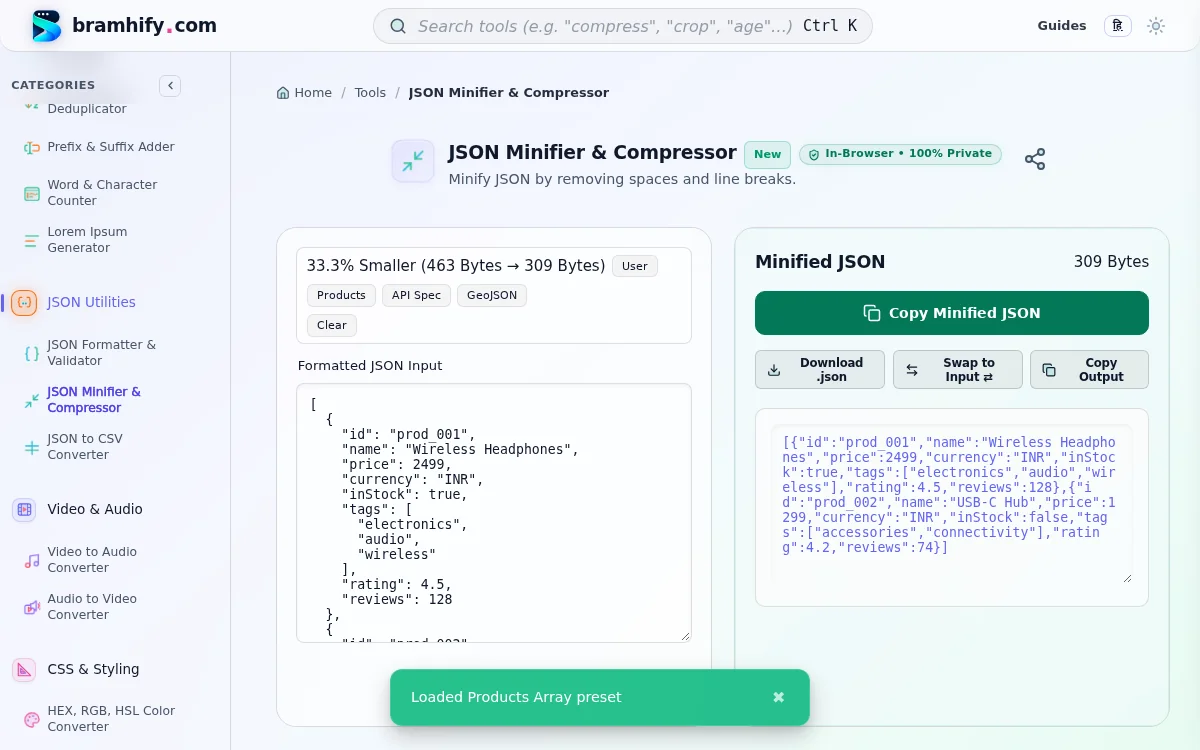
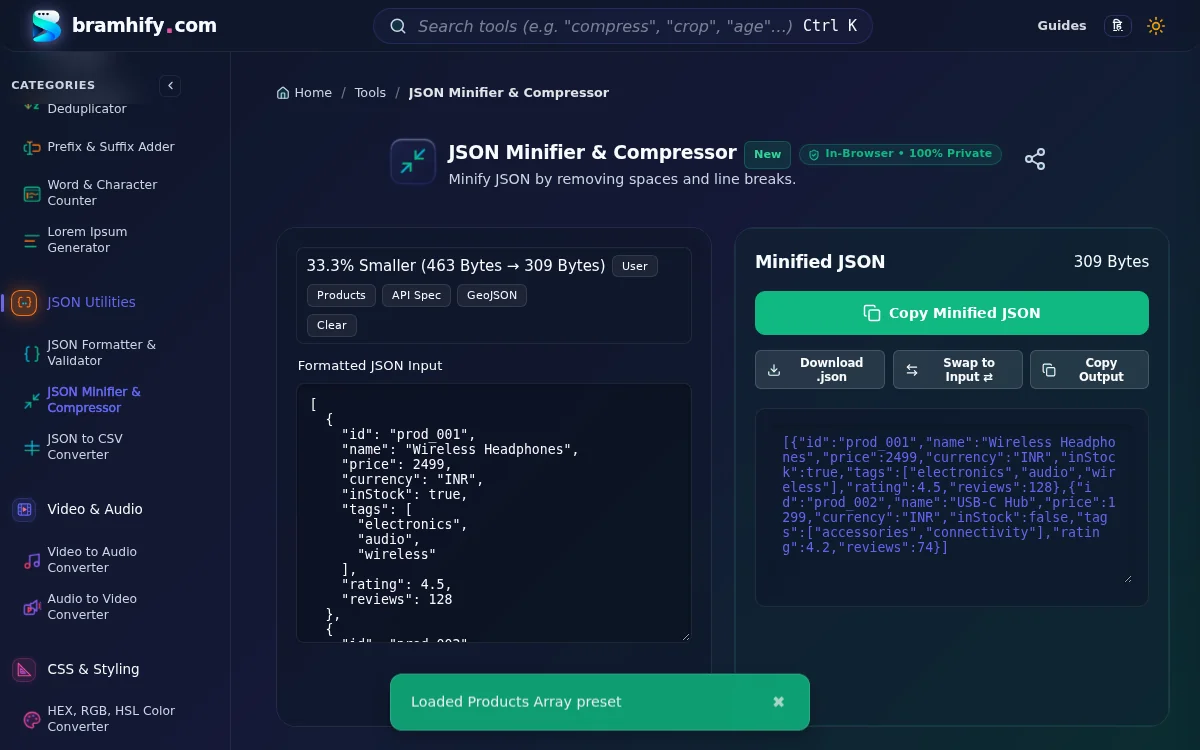
Bramhify's JSON Minifier & Compressor is architected on a strict zero-backend, client-side execution model. The parser runs purely in your browser's local sandbox via standard JavaScript APIs. No outgoing network requests are dispatched, no telemetry tracks your data, and your payloads never leave your local machine.
JSON Minifier & Compressor:

Step-by-Step Guide: Minifying JSON with Bramhify
Follow these simple steps to minify your JSON payloads instantly and privately:
Step 1: Open the Tool
Navigate to the JSON Minifier & Compressor in your browser. The tool loads instantly and functions completely offline even without an active internet connection.
Step 2: Paste or Select a Sample
Paste your raw, indented, or multi-line JSON directly into the Formatted JSON Input area. Alternatively, if you want to test the tool, tap any of the preset pills in the toolbar:
- User: Sample user authentication record with nested objects.
- Products: Multi-item catalog array with numerical pricing and tags.
- API Spec: Standard REST response envelope with metadata headers.
- GeoJSON: Coordinate geometry array showcasing precision floating-point formatting.
Step 3: Inspect Real-Time Compression Metrics
The tool instantly validates your syntax. As soon as a valid JSON tree is recognized, the Compression Badge updates automatically (for example, showing -42% Compression).
If your JSON contains syntax errors (such as an illegal trailing comma or mismatched curly brace), the tool displays an alert highlighting the parse issue without crashing.
Step 4: Copy or Download the Minified String
- Tap the full-width Copy Minified JSON button to copy the single-line output directly to your clipboard.
- Tap Download .json to export the minified output as a lightweight file on disk.
- Tap Swap to Input ⇄ if you wish to verify round-trip stability or test downstream transformations.
Programmatic JSON Minification in Real-World Code
While interactive tools are ideal for debugging, hotfixes, and rapid verification, automated production pipelines should minify JSON programmatically. Here is how to implement minification across the most popular backend and CLI environments:
1. Terminal / Shell (jq)
The ubiquitous jq utility provides an ultra-fast -c (compact) flag that formats input into single-line minified JSON:
# Minify a file and output to a new file
jq -c . formatted-payload.json > minified-payload.json

# Minify cURL output directly before piping
curl -s https://api.example.com/v1/metrics | jq -c . > metrics.min.json
2. Node.js & TypeScript
In JavaScript environments, passing null or undefined as the third parameter to JSON.stringify produces compact output without whitespace:
// Function to safely minify an existing JSON string
function minifyJsonString(rawJson) {
  try {
    const parsed = JSON.parse(rawJson);
    // Omitting the indentation argument produces single-line compact JSON
    return JSON.stringify(parsed);
  } catch (err) {
    throw new Error(`Invalid JSON syntax: ${err.message}`);
  }
}

const uncompressed = '{\n  "version": "1.0.0",\n  "active": true\n}';
const compact = minifyJsonString(uncompressed);
console.log(compact); // {"version":"1.0.0","active":true}
3. Python 3
Python's standard json module adds a space after separators by default (", " and ": "). To generate true minified output without whitespace, explicitly define the separators tuple:
import json

def minify_json(data_string: str) -> str:
    # Parse the incoming string
    payload = json.loads(data_string)
    # separators=(',', ':') eliminates trailing spaces after colons and commas
    return json.dumps(payload, separators=(',', ':'))

raw_data = """
{
    "user": "Ajit",
    "role": "admin"
}
"""
minified = minify_json(raw_data)
print(minified)  # {"user":"Ajit","role":"admin"}
4. Golang
Go's encoding/json package includes a built-in json.Compact function designed specifically to strip whitespace without deserializing into an intermediate map or struct:
package main

import (
	"bytes"
	"encoding/json"
	"fmt"
)

func main() {
	rawJSON := []byte(`{
		"server": "us-east-1",
		"port": 8080
	}`)

	dst := new(bytes.Buffer)
	if err := json.Compact(dst, rawJSON); err != nil {
		fmt.Printf("Syntax error: %v\n", err)
		return
	}

	fmt.Println(dst.String()) // {"server":"us-east-1","port":8080}
}
Minification vs Serialization: Edge Cases to Watch
When handling high-throughput production JSON, keep these technical subtleties in mind:
1. JSON Does Not Allow Comments
A common source of confusion is config files like VS Code's settings.json or TypeScript's tsconfig.json. These files use JSON with Comments (JSONC) or JSON5, allowing // line comments and trailing commas. Standard RFC 8259 JSON strictly forbids comments. Attempting to parse or minify JSONC with a strict standard parser will trigger an exception. Comments must be stripped by a pre-processor before minification.
2. Unicode and Escaped Characters
Minification must never alter character semantics inside string literals. Escaped newline characters (\n), tabs (\t), and escaped quotes (\") inside valid values must remain escaped. For example:
{"message":"Line 1\nLine 2"}
A naive regex that strips all whitespace or newlines would corrupt the literal string inside "message". Proper minification requires a lexical parser that distinguishes between whitespace inside versus outside quotation boundaries.
3. Floating-Point Precision and Large Numbers
Standard JavaScript parses numbers as IEEE 754 double-precision 64-bit floats. If your payload contains 64-bit integer database IDs (such as Twitter snowflakes or high-precision distributed UUIDs exceeding 2^53 - 1), deserializing them through JSON.parse in JavaScript may cause numeric precision loss. In these scenarios, represent 64-bit IDs as quoted strings or utilize specialized string-based compaction tools.
Frequently Asked Questions (FAQs)
What is the difference between minifying and formatting JSON?
Formatting (pretty-printing) adds spaces, indentation, and newlines to make JSON easy for humans to read and debug. Minifying removes all unnecessary whitespace, comments, and line breaks to convert the data into a single, compact line of code. Formatting is for human editing; minification is for network transfer and machine processing.
How much can minifying reduce my JSON file size?
For standard indented JSON (using 2 or 4 spaces per nesting level), minification typically reduces the raw file size by 30% to 55%. If the payload contains many small key-value pairs or deeply nested objects, the reduction can exceed 60%. If the JSON consists of large monolithic text strings with minimal nesting, savings may hover around 10% to 20%.
Does minifying JSON affect data integrity or values?
No. Minification only strips whitespace characters (spaces, tabs, newlines) that occur outside of quoted string literals. All keys, values, boolean states, arrays, and Unicode characters remain completely untouched. Minified JSON produces the exact same data structure when parsed by any compliant JSON parser.
Can I reverse the minification if I need to read the JSON later?
Yes. Minification is a lossless process. You can paste any minified JSON into our JSON Formatter & Validator to instantly re-apply indentation and restore human-readable hierarchy.
Why is Bramhify's JSON Minifier safer than other online tools?
Most online tools upload your pasted payload to an external web server where it can be logged, stored, or exposed to security leaks. Bramhify executes 100% in your local browser using client-side JavaScript. Your data is parsed directly in device memory and never transmitted over the internet, keeping API tokens and sensitive company schemas completely private.
Related Tools and Developer Guides
- JSON Formatter & Validator Online: Re-beautify minified JSON, inspect collapsible tree views, and sort object keys.
- JSON Formatter Online: Validate & Beautify JSON Privately: Guide on debugging complex nested responses without data leaks.
- How to Convert Nested JSON to CSV and Excel Offline: Flatten nested API responses for data analysts and spreadsheets.
- Top AI & Developer Productivity Tools to Master in 2026: Essential workflows for modern high-performance engineering teams.