


You copy a token from an OpenID4VC or digital wallet callback, paste it into a standard JWT parser, and immediately hit an invalid format error. Instead of three dot-separated segments, the string is full of tilde (~) characters and extra Base64Url fragments. You are looking at an SD-JWT (Selective Disclosure JSON Web Token, RFC 9901) — and standard three-part decoders cannot parse it.
Why Standard JWTs Leak Data — and How SD-JWT Fixes It
In a classic RFC 7519 JWT, every claim inside the payload is visible to any service that receives the token. If an identity issuer signs a credential containing your full name, email, date of birth, and national ID, you have to hand over the entire payload just to prove you are over 18.
SD-JWT (RFC 9901) solves this by separating signed digests from revealed values using tilde (~) delimiters:
<Issuer-Signed JWT>~<Disclosure 1>~<Disclosure 2>~...~<Optional Key Binding JWT>
Instead of placing sensitive plaintext attributes directly into the Issuer JWT payload, the issuer hashes each claim along with a cryptographically random salt and places the resulting digests inside an _sd array:
{
  "iss": "https://id.bramhify.com",
  "sub": "user_98765",
  "_sd_alg": "sha-256",
  "_sd": [
    "sDtMBgZrhVVgb7oK_2hzyqbkz9u_goEl-iHS3epgHWQ",
    "twX-BptMHm7gmeLBwOOxIFr5bxmEyvebPFgsWYNAIHE",
    "unreleased_claim_digest_placeholder_xyz"
  ]
}
Each attached disclosure is a Base64Url-encoded JSON array containing [salt, claim_name, claim_value] (or [salt, value] for selectively disclosable array elements). When presenting the credential to a verifier, the wallet attaches only the disclosures the user approves. Undisclosed hashes remain opaque inside _sd, keeping unshared personal data private while keeping the issuer's signature completely intact.
The Privacy Risk of Pasting Identity Credentials Online
SD-JWTs are explicitly built for high-sensitivity identity credentials — government eIDs (EUDI Wallet, OpenID4VC, India DPI verifiable credentials), KYC attributes, age verification proofs, and OAuth2 identity assertions. Pasting a live credential into a remote debugger transmits personally identifiable claims, salts, and holder nonces across someone else's infrastructure.
Bramhify's upgraded JWT & SD-JWT Decoder runs 100% locally inside your browser using native JavaScript and Web Crypto (SHA-256, SHA-384, and SHA-512). Zero bytes leave your device — open your browser's Network tab while pasting a token to confirm zero outbound requests.
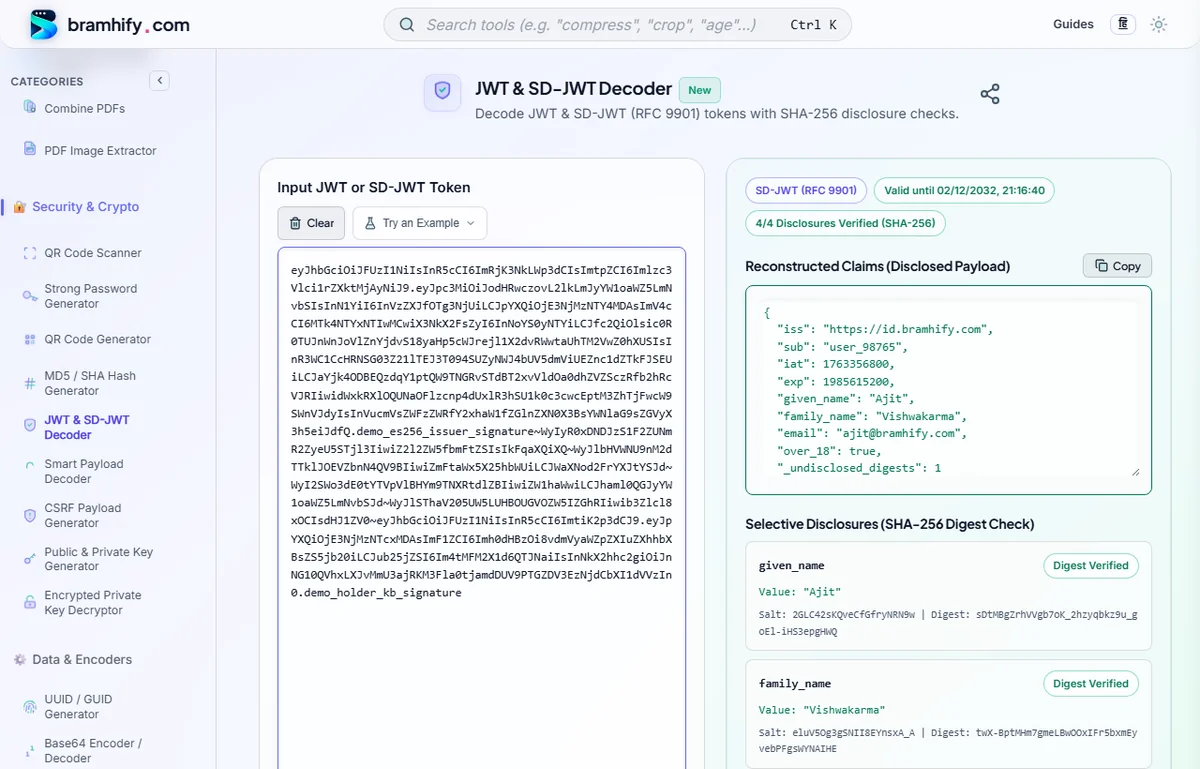
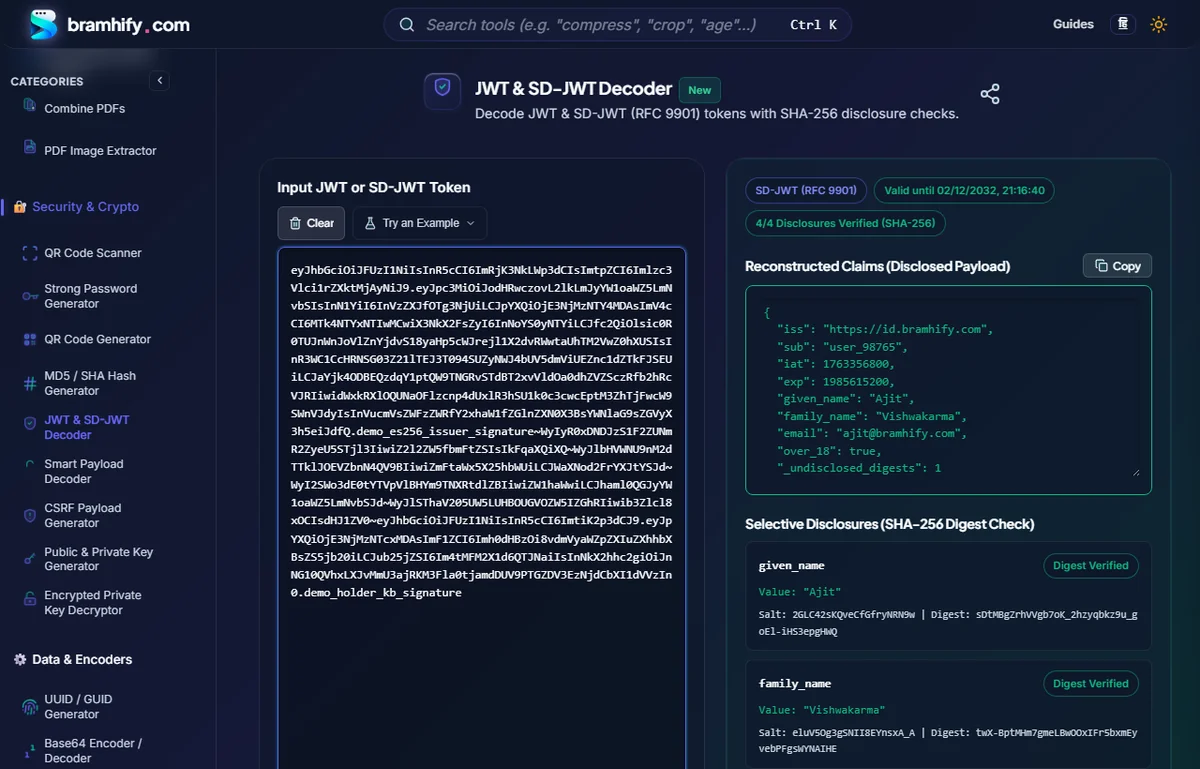
JWT & SD-JWT Decoder:

Step-by-Step: Inspecting an SD-JWT Offline
Follow these four steps to debug any RFC 9901 presentation or test with our built-in sample token.
Step 1: Paste Your Tilde-Separated Token
Open the JWT & SD-JWT Decoder and paste your full SD-JWT string into the input box. If you want to explore the format first, open the Try an Example menu and select SD-JWT — Selective Disclosure (RFC 9901).
Step 2: Check the Reconstructed Claims Payload
Bramhify automatically detects the ~ delimiter and switches into SD-JWT (RFC 9901) mode. The top green panel merges every verified disclosure directly back into its original JSON structure (including nested _sd objects and {"...": "<digest>"} array placeholders) and displays _undisclosed_digests so you can immediately see how many hidden claims remain redacted.
Step 3: Verify Individual Disclosures & Digests
Scroll to the Selective Disclosures (SHA-256 Digest Check) panel. For each disclosure segment, Bramhify hashes the exact Base64Url ASCII string using the _sd_alg hash algorithm (defaulting to SHA-256) and cross-checks it against the Issuer JWT payload:
- Digest Verified (Green): The computed hash matches a committed digest inside
_sd. - Unreferenced (Amber): A disclosure was appended to the token, but its digest does not appear in the Issuer JWT.
Step 4: Inspect the Key Binding JWT (kb+jwt) & sd_hash
When a holder proves possession of a bound cryptographic key, the final segment after the last ~ is a Key Binding JWT ("typ": "kb+jwt"). Bramhify decodes its header and payload (aud, nonce, iat, sd_hash) and cryptographically checks whether sd_hash matches the SHA-256 digest of the preceding SD-JWT presentation. That gives you end-to-end structural validation in seconds!
Debugging Checklist: Common SD-JWT Pitfalls
| Symptom | Root Cause | How to Fix |
|---|---|---|
| Disclosure shows Unreferenced | Whitespace or newline accidentally copied inside a Base64Url disclosure string | Trim all line breaks; the SHA-256 digest is computed over the exact raw ASCII disclosure string. |
sd_hash Mismatch on kb+jwt | Missing trailing ~ before hashing, or a disclosure was added/removed after key binding | RFC 9901 requires hashing <issuer-jwt>~<d1>~...~ including the trailing ~ right before the kb+jwt. |
Unexpected Expired badge | exp timestamp in the Issuer JWT is in the past | Re-issue the credential from your test issuer or verify clock skew between holder and verifier. |
Need ES256 or Ed25519 keys to sign your own test SD-JWT issuer or holder credentials? Create them offline with our Public & Private Key Pair Generator or read our JWT Key Generation Guide for PHP & Node.js. For classic three-part OAuth2 tokens, see our Standard JWT Decoding Security Guide.
Frequently Asked Questions (FAQs)
Does Bramhify verify the Issuer's cryptographic JWS signature?
No. Bramhify cryptographically verifies every SD-JWT disclosure digest (_sd via SHA-256/384/512) and the kb+jwt sd_hash locally, but it does not fetch remote JWKS endpoints or verify the Issuer JWS signature. Signature verification should always happen inside your verifier service using trusted issuer public keys.
What is the difference between a standard JWT and an SD-JWT?
A standard JWT exposes all payload claims in plaintext Base64Url JSON to every recipient. An SD-JWT replaces sensitive claims with salted hashes inside _sd and appends tilde-separated (~) disclosure arrays so the holder can selectively reveal only the attributes required for a specific transaction.
Why does an SD-JWT end with a trailing tilde (~) when there is no Key Binding JWT?
RFC 9901 defines the wire format as <Issuer-JWT>~<D1>~<D2>~<KB-JWT>. When no Key Binding JWT is attached, the string still terminates with a trailing ~ so parsers can cleanly distinguish the final disclosure from an absent kb+jwt.
Is it safe to decode production OpenID4VC or EUDI Wallet tokens here?
Yes. Every Base64Url decode, JSON parse, and SHA-256 digest check executes locally in your browser's memory with zero network calls and zero storage. Refreshing or clicking Clear immediately wipes the token from memory.