


You open two .pem files from two different microservices. One starts with -----BEGIN RSA PRIVATE KEY-----, the other starts with -----BEGIN PRIVATE KEY-----, and your frontend library wants a JSON object with "kty", "n", and "e" fields. They all represent the exact same mathematics — yet passing the wrong envelope into Web Crypto, PHP, or Java throws an immediate parse error.
The Privacy Cost of Online Format Converters
Because key format errors usually happen mid-integration (bridging a PHP/OpenSSL backend with a JavaScript frontend or Cloudflare Worker), developers often search for quick "PEM to JWK" or "PKCS#1 to PKCS#8" web converters. Any server-based converter sees your unencrypted private key material over the wire.
With Bramhify's Public & Private Key Generator and Encrypted Private Key Decryptor, all ASN.1 DER wrapping, PKCS#1-to-PKCS#8 normalization, and PEM-to-JWK exports happen 100% locally in your browser via the native Web Crypto API — zero uploads and zero storage.
Public & Private Key Generator:
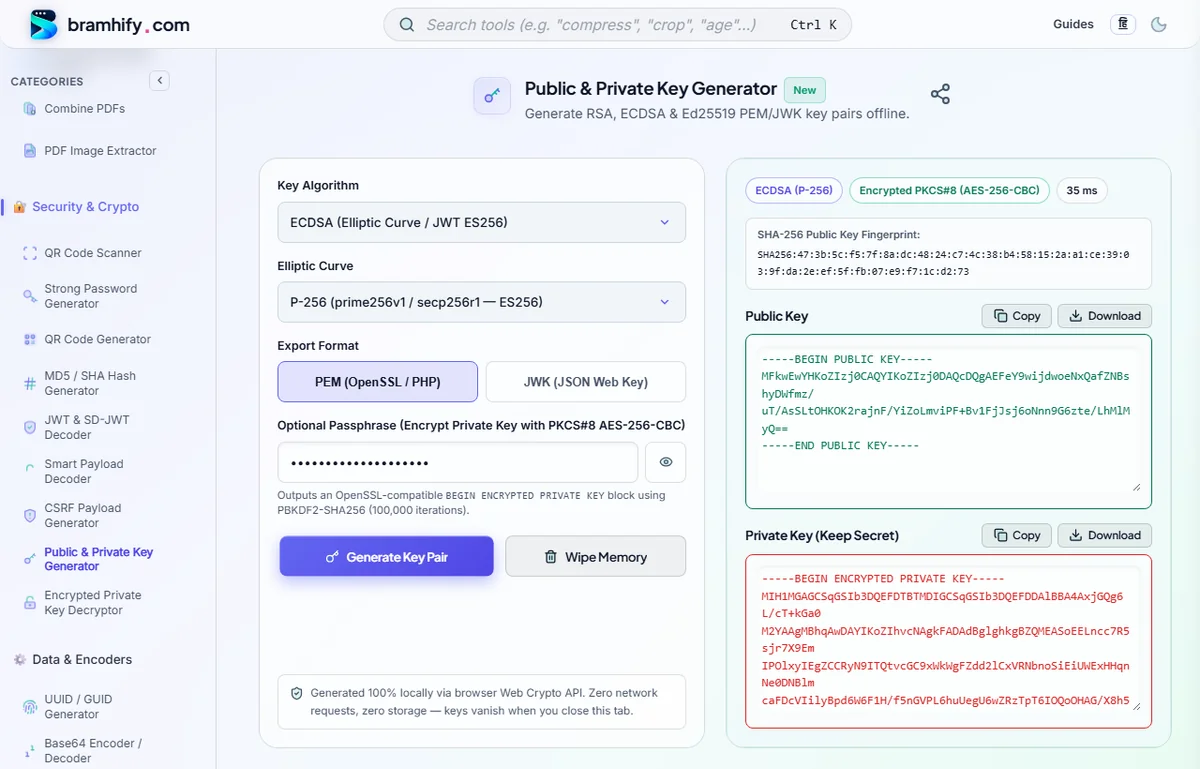
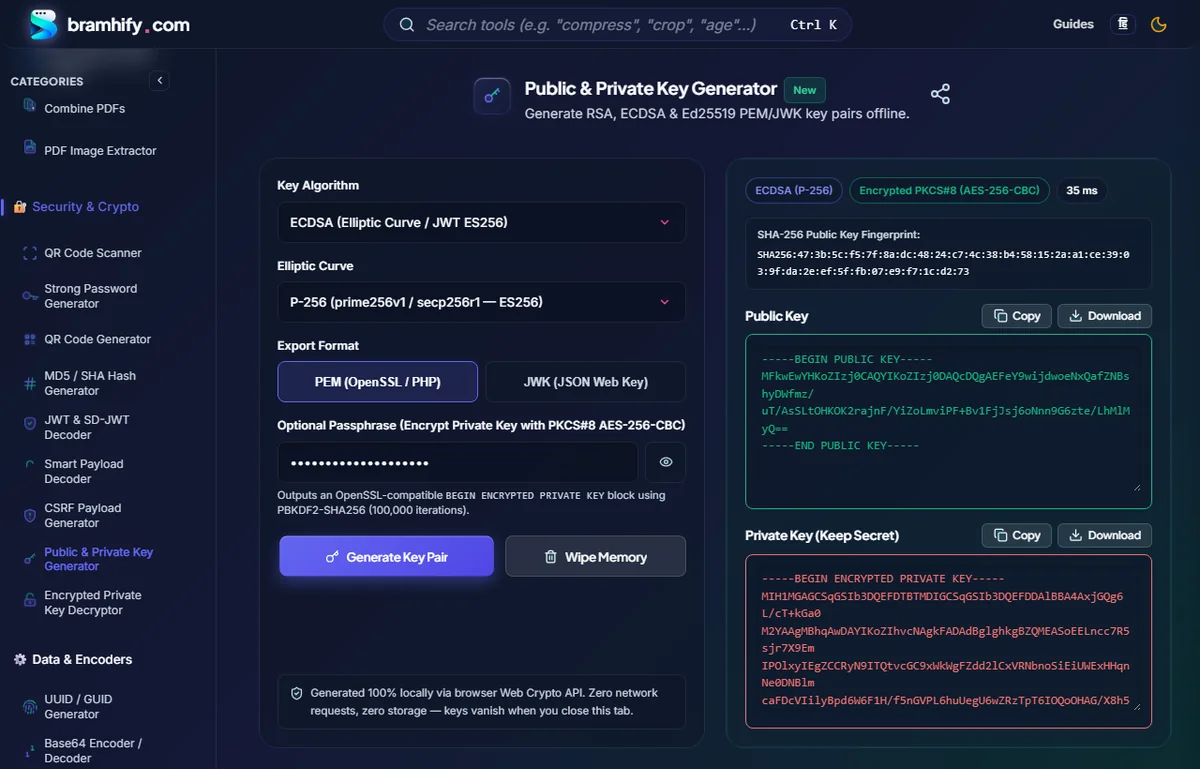

PEM Header Cheat Sheet: Identifying Any Key at a Glance
Every PEM file is simply Base64-encoded binary ASN.1 DER data wrapped between -----BEGIN ...----- and -----END ...----- armor lines. The header tells you the exact container standard:
| PEM Header | Standard | Algorithm Support | Where You See It |
|---|---|---|---|
-----BEGIN PRIVATE KEY----- | PKCS#8 (RFC 5958) | RSA, ECDSA, Ed25519 (Algorithm-agnostic) | Modern OpenSSL 3, Web Crypto API (importKey('pkcs8')), Node.js, Java, Go |
-----BEGIN ENCRYPTED PRIVATE KEY----- | Encrypted PKCS#8 (PBES2) | RSA, ECDSA, Ed25519 | Passphrase-locked modern keys (PBKDF2 + AES-256-CBC/GCM) |
-----BEGIN RSA PRIVATE KEY----- | PKCS#1 (RFC 8017) | RSA only | Legacy OpenSSL (openssl genrsa), older PHP/Nginx/AWS guides |
-----BEGIN EC PRIVATE KEY----- | SEC1 (RFC 5915) | Elliptic Curve only | Legacy openssl ecparam -genkey scripts |
-----BEGIN PUBLIC KEY----- | SPKI (X.509 SubjectPublicKeyInfo) | RSA, ECDSA, Ed25519 | Universal public key format across OpenSSL, PHP, Java, and Web Crypto |
{ "kty": "RSA" / "EC" / "OKP", ... } | JWK (RFC 7517) | RSA, ECDSA, Ed25519 | OAuth2 /.well-known/jwks.json, jose, Auth0, Keycloak, SD-JWT, Web Crypto |
Why Browser Web Crypto & Modern APIs Require PKCS#8 or JWK
PKCS#1 (BEGIN RSA PRIVATE KEY) only stores raw RSA prime numbers — it carries no AlgorithmIdentifier OID header. PKCS#8 (BEGIN PRIVATE KEY) wraps the raw key inside a standard outer ASN.1 envelope declaring the algorithm OID (1.2.840.113549.1.1.1 for RSA, 1.2.840.10045.2.1 for EC, 1.3.101.112 for Ed25519).
Because PKCS#8 is self-describing across all algorithms, the W3C Web Crypto API intentionally accepts only pkcs8 (private), spki (public), and jwk — rejecting raw PKCS#1 (BEGIN RSA PRIVATE KEY) unless you wrap it in a PKCS#8 envelope first.
Step-by-Step: Generate or Convert Keys Between PEM & JWK Offline
Step 1: Generating Fresh PKCS#8 PEM & JWK Pairs
Open the Public & Private Key Generator, choose RSA, ECDSA, or Ed25519, and tap Generate Key Pair. Toggle the Export Format switch between PEM (OpenSSL / PHP) and JWK (JSON Web Key) to grab both formats for the exact same key pair without regenerating.
Step 2: Converting Legacy PKCS#1 or SEC1 PEM to PKCS#8 & JWK
Already have an older BEGIN RSA PRIVATE KEY or BEGIN EC PRIVATE KEY (encrypted or unencrypted)? Paste it into the Encrypted Private Key Decryptor and tap Decrypt Private Key. Bramhify automatically wraps PKCS#1 and SEC1 keys into clean PKCS#8 (BEGIN PRIVATE KEY), derives the SPKI Public Key (BEGIN PUBLIC KEY), and outputs the Private JWK JSON.
Step 3: Checking Public vs. Private JWK Fields
Never publish a Private JWK inside a public jwks.json endpoint! Verify that any public JWK contains only public parameters (kty, n, e for RSA; kty, crv, x, y for EC; kty, crv, x for Ed25519) — and zero private fields (d, p, q, dp, dq, qi):
// SAFE to publish at /.well-known/jwks.json (ECDSA P-256 Public JWK)
{
  "kty": "EC",
  "crv": "P-256",
  "x": "f83OJ3D2xF1Bg8vub9tLe1gHMzV76e8Tus9uPHvRVEU",
  "y": "x_FEzRu9m36HLN_tue659LNpXW6pCyStikYjKIWI5a0"
}

// NEVER publish — "d" is the secret private scalar!
{
  "kty": "EC",
  "crv": "P-256",
  "x": "f83OJ3D2xF1Bg8vub9tLe1gHMzV76e8Tus9uPHvRVEU",
  "y": "x_FEzRu9m36HLN_tue659LNpXW6pCyStikYjKIWI5a0",
  "d": "jpsQnnGQmL-YBIffH1136cspYG6-0iY7X1fCE9-E9LI"
}
Importing PKCS#8 PEM Directly in Browser / Edge Web Crypto
Once your key is normalized to PKCS#8 (BEGIN PRIVATE KEY), importing it in Cloudflare Workers, Deno, Node.js, or browsers takes only a few lines:
function pemToDer(pem) {
  const b64 = pem.replace(/-----[^-]+-----/g, '').replace(/\s+/g, '');
  return Uint8Array.from(atob(b64), c => c.charCodeAt(0));
}

const key = await crypto.subtle.importKey(
  'pkcs8',
  pemToDer(pkcs8PemString),
  { name: 'ECDSA', namedCurve: 'P-256' },
  false,
  ['sign']
);
Step 4: Wipe Browser Memory
Once you have copied or downloaded your formatted keys, tap Wipe Memory to clear all sensitive buffers from RAM.
Ready to put your keys to work? Read our PHP & Node.js JWT Key Pair Guide, troubleshoot passphrase failures in Fixing OpenSSL bad decrypt in PHP, or inspect signed tokens in the JWT & SD-JWT Decoder.
Frequently Asked Questions (FAQs)
Can PHP openssl_pkey_get_private() read both PKCS#1 and PKCS#8 PEM files?
Yes. PHP's OpenSSL extension transparently reads both BEGIN RSA PRIVATE KEY (PKCS#1) and BEGIN PRIVATE KEY (PKCS#8), as well as BEGIN ENCRYPTED PRIVATE KEY when a passphrase is supplied. Prefer PKCS#8 for new projects because it works identically in PHP, Node.js, Java, Go, and Web Crypto.
What is the difference between PEM and DER?
DER is the raw binary ASN.1 encoding of a key or certificate; PEM is that exact same DER binary encoded as Base64 text with -----BEGIN ...----- and -----END ...----- headers so it can be safely stored in .env files, YAML configs, or JSON secrets.
Why does my public key start with BEGIN PUBLIC KEY instead of BEGIN RSA PUBLIC KEY?
BEGIN PUBLIC KEY is the universal X.509 SPKI format supported by almost every modern runtime (PHP, OpenSSL, Node.js, Java, browsers). BEGIN RSA PUBLIC KEY is the legacy PKCS#1 public format that only works for RSA and is rarely needed today.
Does Bramhify convert OpenSSH (BEGIN OPENSSH PRIVATE KEY) keys to JWK?
No. OpenSSH uses its own proprietary container and bcrypt-pbkdf cipher not natively exposed by Web Crypto. Convert OpenSSH keys to PKCS#8 locally using ssh-keygen -p -m PKCS8 -f your_key first.