


You inherit a legacy PHP or Node.js service with a private.pem file locked behind a passphrase. Your staging deploy is throwing a key load error, or a cloud platform requires an unencrypted PKCS#8 PEM or JWK — and you just want to confirm whether the passphrase actually unlocks the key without installing OpenSSL CLI.
Why Online PEM Decryptors Are Usually a Security Trap
If you search for "decrypt private key online," several legacy utilities (JavaInUse, 8gwifi.org, and ad-heavy wrapper sites) accept both your encrypted PEM key and your plaintext passphrase via a standard HTTP POST form. Sending both pieces together to a remote server completely defeats the purpose of encrypting the key in the first place.
Bramhify's Encrypted Private Key Decryptor parses ASN.1 DER structures, derives the symmetric key (PBKDF2 or OpenSSL EVP_BytesToKey), and runs AES decryption 100% locally inside your browser via Web Crypto. Nothing is uploaded, nothing is stored in cookies or localStorage, and clicking Wipe Memory clears all inputs and outputs immediately.
Encrypted Private Key Decryptor:
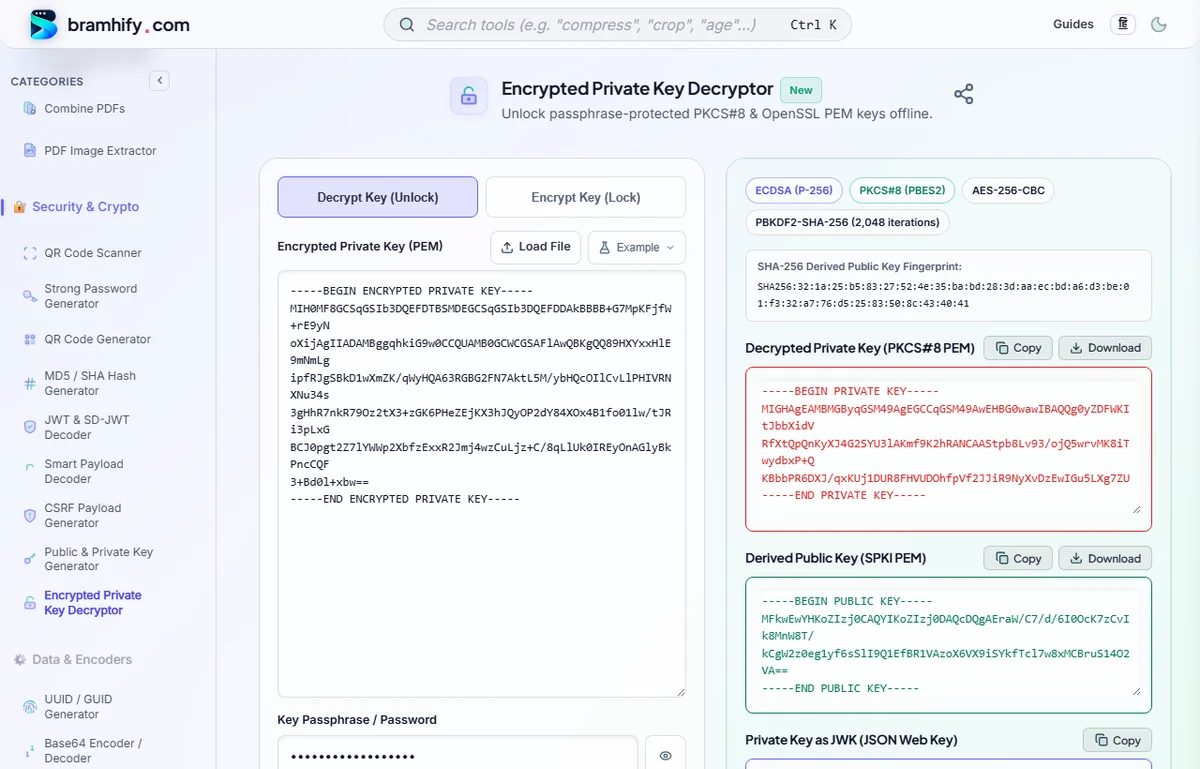
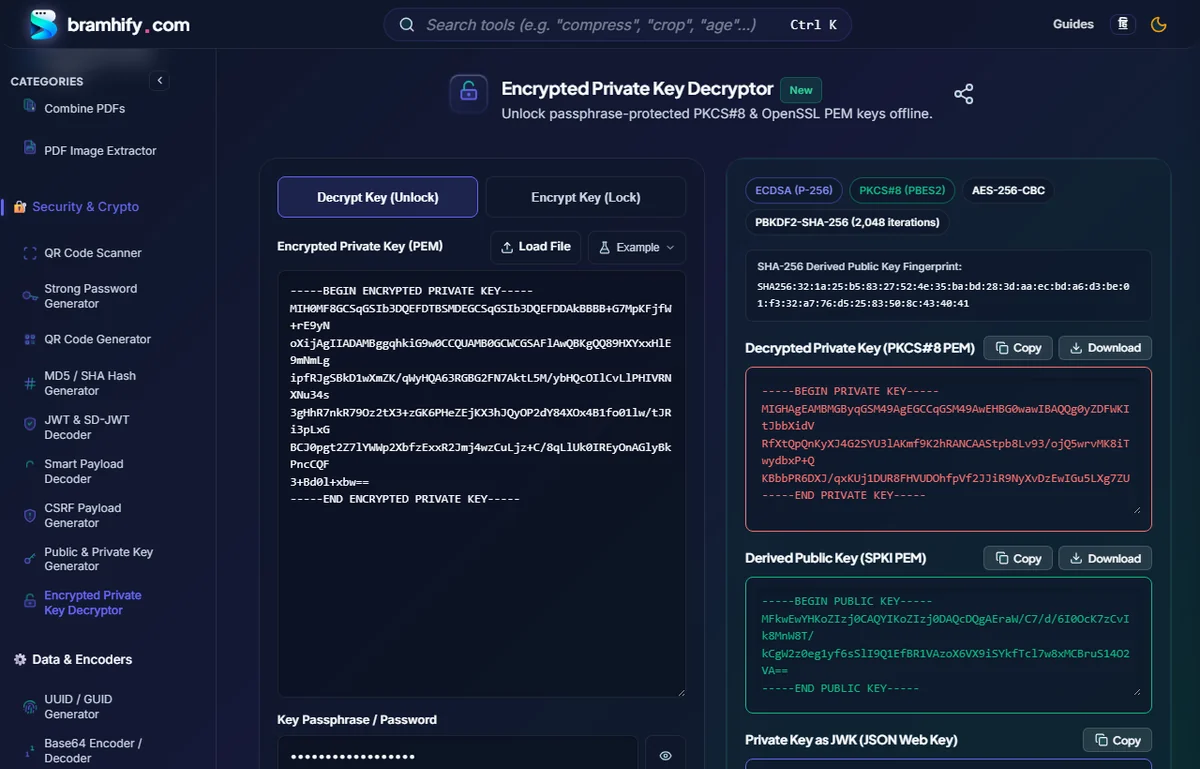

Supported Encrypted Private Key Formats
Not every encrypted .pem file uses the same envelope. Bramhify auto-detects and handles the two major standards used across PHP, OpenSSL, Nginx, Java, and Node.js:
- Modern PKCS#8 Encrypted Keys (
-----BEGIN ENCRYPTED PRIVATE KEY-----)- Uses RFC 5958 PBES2 with
PBKDF2(SHA-1,SHA-256,SHA-384, orSHA-512) andAES-128-CBC,AES-256-CBC,AES-128-GCM, orAES-256-GCM. - Supports RSA, ECDSA (P-256, P-384, P-521), and Ed25519 keys.
- Uses RFC 5958 PBES2 with
- Legacy OpenSSL PEM Keys (
Proc-Type: 4,ENCRYPTED)- Traditional
-----BEGIN RSA PRIVATE KEY-----(PKCS#1) and-----BEGIN EC PRIVATE KEY-----(SEC1) headers withDEK-Info: AES-128-CBC,...orAES-256-CBC,.... - Common in older PHP
openssl_pkey_export()scripts, Laravel tutorials, and Nginx/Apache guides. Bramhify decrypts them usingEVP_BytesToKeyand automatically normalizes the output to clean PKCS#8 PEM.
- Traditional
Step-by-Step: Decrypt & Verify Your Private Key
Step 1: Paste or Load Your .pem / .key File
Open the Encrypted Private Key Decryptor in Decrypt Key (Unlock) mode. Paste the entire PEM block (including the -----BEGIN ...----- and -----END ...----- lines) or tap Load File to read a local .pem or .key file directly into memory.
Step 2: Enter Your Passphrase
Type the passphrase in the password field (use the eye icon to verify there are no accidental leading/trailing spaces). Press Enter or tap Decrypt Private Key.
Step 3: Inspect the Decrypted Key, Derived Public Key & JWK
If the passphrase is valid, Bramhify instantly outputs four verified artifacts:
- Encryption Metadata Badges: Key algorithm & bit length, container format, cipher, and KDF iteration count.
- Decrypted Private Key (PKCS#8 PEM): Ready to copy or download as
decrypted-private.pem. - Derived Public Key (SPKI PEM) & SHA-256 Fingerprint: Mathematically computed from the unlocked private key so you can verify it matches your server's
public.pemor TLS certificate. - Private Key JWK: Clean JSON Web Key representation ready for JS/TS and OAuth libraries.
Step 4: Re-Encrypt or Wipe Memory
Need to rotate a passphrase or lock an unencrypted key instead? Switch to Encrypt Key (Lock) mode, paste any unencrypted PKCS#8, PKCS#1 RSA, or SEC1 EC key, enter a new passphrase, and export a fresh PBES2 AES-256-CBC BEGIN ENCRYPTED PRIVATE KEY file. When finished, tap Wipe Memory to clear RAM.
PKCS#8 PBES2 vs. Legacy OpenSSL PEM: Under the Hood
Understanding which encryption envelope your key uses helps explain why older keys sometimes fail in modern cloud runtimes:
| Feature | Modern PKCS#8 (BEGIN ENCRYPTED PRIVATE KEY) | Legacy OpenSSL (Proc-Type: 4,ENCRYPTED) |
|---|---|---|
| Standard | RFC 5958 / PBES2 | Legacy PEM encryption (OpenSSL 1.x default) |
| Key Derivation (KDF) | PBKDF2 with SHA-256/512 (2,048–100,000+ iterations) | Single-round EVP_BytesToKey (MD5 — weak against brute force) |
| Supported Ciphers | AES-128/256-CBC, AES-128/256-GCM | AES-128/256-CBC (plus deprecated 3DES) |
| Algorithm Coverage | RSA, ECDSA, Ed25519 | Separate headers (RSA PRIVATE KEY / EC PRIVATE KEY) |
| Recommendation | Preferred for all production keys | Decrypt and upgrade to PKCS#8 PBES2 |
OpenSSL CLI Equivalents (When You Have Terminal Access)
If you are working inside a locked-down CI container or need to convert an unsupported OpenSSH / 3DES key before inspecting it in Bramhify:
# Remove passphrase from a PKCS#8 or RSA key locally
openssl pkey -in encrypted.pem -out decrypted.pem

# Extract matching SPKI public key without decrypting to disk
openssl pkey -in encrypted.pem -pubout -out public.pem

# Upgrade a legacy 3DES or OpenSSL 1.x key to modern PKCS#8 PBES2 AES-256-CBC
openssl pkcs8 -topk8 -v2 aes-256-cbc -v2prf hmacWithSHA256 -in legacy.pem -out modern-encrypted.pem
Debugging a production PHP or Laravel EVP_DecryptFinal_ex:bad decrypt error? Check our dedicated troubleshooting guide: Fixing OpenSSL bad decrypt & Passphrase Errors in PHP & Laravel. Want a fresh key pair from scratch? Use the Public & Private Key Generator.
Frequently Asked Questions (FAQs)
Why does Bramhify reject OpenSSH private keys (BEGIN OPENSSH PRIVATE KEY)?
OpenSSH encrypted keys use bcrypt-pbkdf, which is not exposed by the browser's native Web Crypto API. Rather than bundling an unverified third-party crypto library, Bramhify keeps zero dependencies and recommends converting OpenSSH keys locally via ssh-keygen -p -m PKCS8 -f id_rsa.
Are legacy 3DES (DES-EDE3-CBC) encrypted PEM keys supported?
No. 3DES and DES-CBC are deprecated ciphers intentionally omitted from browser Web Crypto implementations. If you have an old 3DES key, upgrade it locally with openssl pkcs8 -topk8 -v2 aes256 -in old.pem -out new.pem.
How do I know the passphrase unlocked the exact right key?
When decryption succeeds, Bramhify imports the decrypted DER bytes into Web Crypto and derives the matching SPKI Public Key and SHA-256 Fingerprint. Comparing that fingerprint against your known public key proves 100% cryptographic validity.
Does this work on Chromium browsers for AES-192-CBC keys?
Chromium intentionally omits 192-bit AES support in Web Crypto (AES-128 and AES-256 are universally supported). If you encounter a rare AES-192-CBC key in Chrome, Bramhify displays a clear notice rather than failing silently.