


Clean documentation sells open-source projects, speeds up onboarding, and dramatically improves how coding assistants and LLMs parse your specs. Yet two repetitive Markdown chores waste hours every week: manually lining up pipes (|) and colons (:---:) for GitHub README tables, and stripping bloated <div> / <span> markup when migrating legacy HTML docs or web pages into Markdown.
Bramhify's 100% offline Markdown Table Generator and HTML to Markdown Converter run completely inside your browser—so you can visually edit GitHub-Flavored Markdown (GFM) tables with instant column alignment AND convert proprietary internal HTML docs via turndown.js with zero cloud uploads.
GitHub-Flavored Markdown (GFM) Table Syntax Cheat Sheet
Every valid Markdown table requires three parts: a header row, a delimiter row (at least 3 dashes per column), and data rows separated by pipes (|):
| Endpoint | Method | Auth Required | Rate Limit |
| :--- | :---: | :---: | ---: |
| `/v1/users` | `GET` | Bearer JWT | 120 / min |
| `/v1/orders` | `POST` | Bearer JWT | 30 / min |
| `/v1/health` | `GET` | Public | Unlimited |
| Alignment Syntax | Effect | Best Used For |
|---|---|---|
:--- (or ---) | Left-aligned (default) | Text descriptions, endpoints, names, code paths |
:---: | Center-aligned | Short badges, HTTP methods (GET/POST), Yes/No checkmarks |
---: | Right-aligned | Numbers, prices, latency (ms), file sizes (KB), percentages |
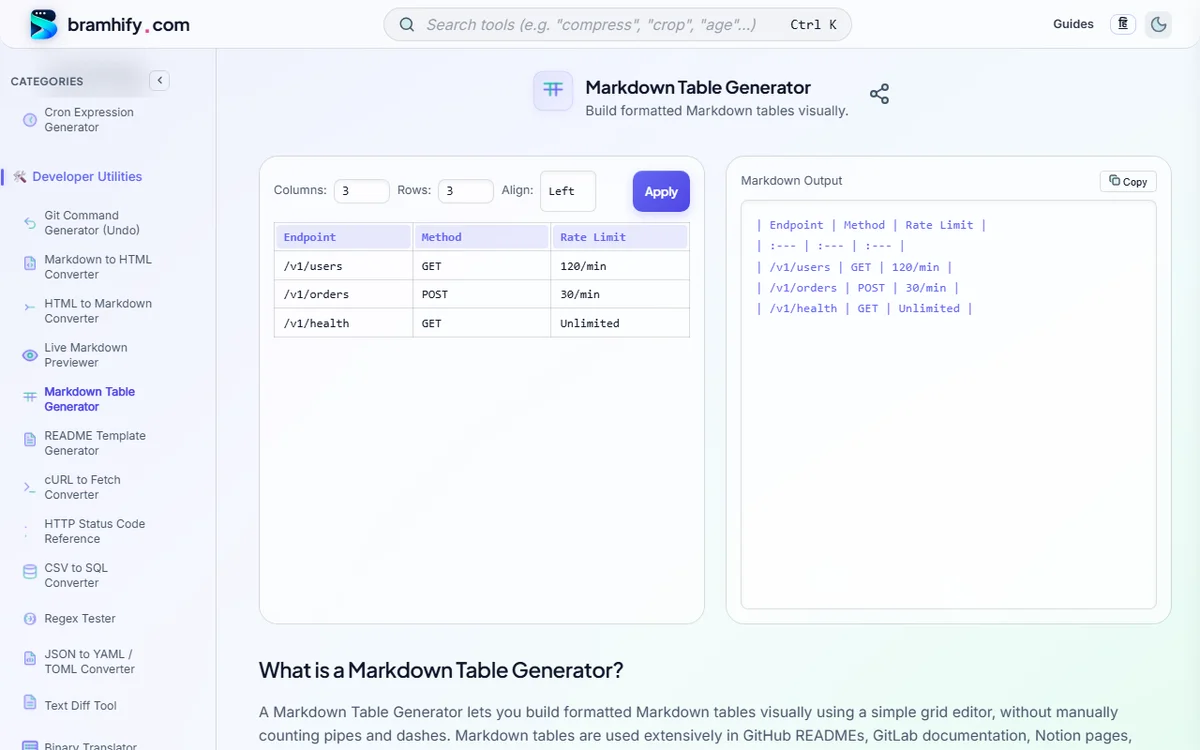
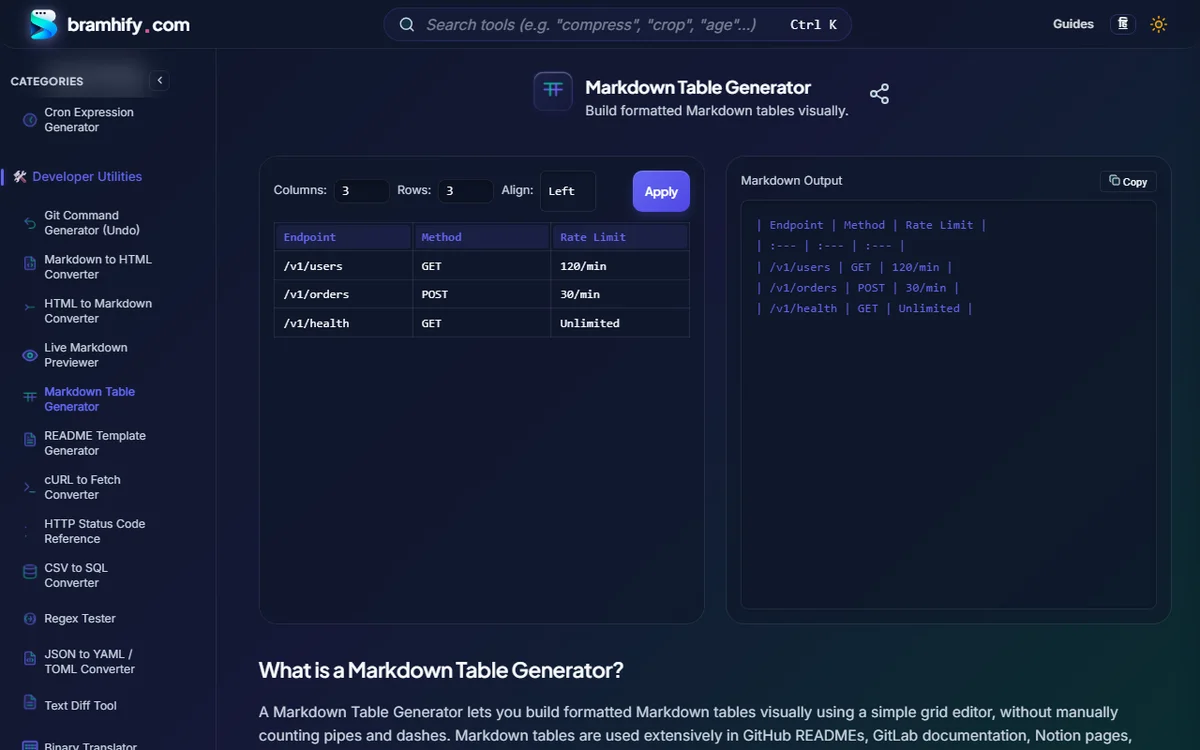
Build Formatted Markdown Tables Visually Offline:

Converting Raw HTML to Clean Markdown (Docs & AI Prompts)
Why are developers converting HTML into Markdown more than ever in 2026?
- 70–85% Fewer LLM Context Tokens: Pasting raw HTML (
<div class="prose-lg"><p>...</p></div>) into ChatGPT, Claude, or Gemini burns huge chunks of your token budget on meaningless class attributes. Converting HTML via Bramhify's offline HTML to Markdown Converter strips noisy tags while preservingh1–h6hierarchy, bold/italic emphasis, links, bullet lists, blockquotes, and<pre><code>blocks cleanly. - Migrating Confluence / WordPress / Legacy Wikis to Git: Move internal engineering runbooks straight into
docs/*.mdinside your Git repository so documentation stays version-controlled alongside pull requests. - Zero Internal Doc Leaks: Because Bramhify runs
turndown.js100% client-side, you can convert confidential internal specs, customer emails, or proprietary API HTML without sending a single byte to external servers.
4 Markdown Table Gotchas (and Clean Workarounds)
- Literal Pipe Characters Inside a Cell (
a | b): A raw|breaks your column count in GitHub READMEs! Always escape it as\|(for example,string \| numberin TypeScript prop tables). - Line Breaks Inside a Table Cell: Pressing Enter starts a brand-new row in Markdown. To create a multi-line cell inside a GitHub or Notion table, insert an inline
<br>tag. - Code Blocks Inside Tables: Multi-line fenced
```blocks do not render inside GFM table cells. Use single-line inline backticks (`npm run build`) and keep full multi-line snippets directly beneath the table. - Wide Tables Breaking Mobile Readers: Keep README tables to 3–5 concise columns. If you have 8+ columns of configuration flags, group them into two focused tables instead of forcing horizontal scrollbars.
Complete Offline Documentation Workflow on Bramhify
- Step 1: Migrate legacy wiki HTML using HTML to Markdown Converter.
- Step 2: Build crisp parameter or benchmark tables in Markdown Table Generator.
- Step 3: Generate a clean open-source boilerplate with README Template Generator and verify rendering side-by-side inside Live Markdown Previewer.
Frequently Asked Questions (FAQs)
How do I align numbers to the right in a GitHub Markdown table?
Add a colon on the right side of the separator dashes (---:) for that column, or select Right in Bramhify's Markdown Table Generator alignment dropdown before clicking Apply.
How do I put a pipe | character (like TypeScript union types) inside a Markdown table cell?
Escape the pipe with a backslash (\|), such as `string \| null`. That tells GitHub's GFM parser to render a literal pipe rather than splitting into a new column.
Why should I convert HTML to Markdown before pasting into AI/LLM prompts?
Markdown preserves structural semantics (headings, lists, code fences, links) using a fraction of the characters required by HTML tags and inline styles—cutting token usage dramatically and reducing prompt noise.
Are tables built in Bramhify compatible with GitHub, GitLab, Notion, and Hugo?
Yes! Bramhify outputs standard GitHub-Flavored Markdown (GFM) pipe tables supported natively by GitHub, GitLab, Bitbucket, Notion, Obsidian, Confluence, Hugo, Astro, and Next.js MDX.
Does Bramhify upload my HTML documentation or private tables to a server?
Never. Both the Markdown Table Generator and HTML to Markdown Converter execute 100% locally in your browser's JavaScript runtime, keeping internal architecture docs completely private.